Finding affordable groceries, household essentials, and branded products can make a difference when managing everyday shopping expenses. The NQR Catalogue is a useful resource for shoppers looking to discover discounted products, limited-time promotions, clearance lines, and weekly supermarket bargains through NQR (Not Quite Right), an Australian discount grocery and variety retailer.
NQR is not an education portal or a training institution. It is a retail business that sells groceries, snacks, household products, cleaning supplies, personal care items, and other discounted merchandise. Its website allows shoppers to explore available products, check weekly specials, browse different categories, and locate physical stores.
The NQR Catalogue experience is particularly useful for bargain hunters, families, students, and shoppers who want to compare products and plan their purchases before visiting a store or shopping online. Since NQR regularly receives different clearance and special-buy products, its product range and available bargains can change frequently.
Fore More Information:
Visit Homepage
What Is NQR and How Does Its Catalogue Work?
NQR, short for Not Quite Right, is an Australian-owned discount supermarket and variety warehouse retailer. The business focuses on selling well-known brands at reduced prices, giving shoppers an alternative to regular supermarket shopping when they want to find affordable products.
The NQR Catalogue and website showcase products available through its retail network and online store. Instead of focusing on a fixed product range alone, NQR offers changing deals that may include surplus stock, clearance lines, special purchases, and products available at discounted prices.
According to the retailer’s official About Us page, NQR has been operating since 1987 and has stores across Victoria and South Australia, alongside its online store. Its merchandise includes groceries, dairy, frozen goods, household products, health and beauty items, and seasonal merchandise. NQR Discount Variety Warehouse
What shoppers can find through NQR
- Discounted branded groceries and pantry products
- Biscuits, confectionery, chips, and snacks
- Tea, coffee, breakfast items, and cooking ingredients
- Cleaning and laundry products
- Health, beauty, and personal care merchandise
- Homewares, storage, toys, and seasonal items
- Online product listings and special offers
- Store locations across supported regions
The main advantage of browsing the NQR Catalogue is having an opportunity to discover lower-priced products before deciding what to purchase. However, because the retailer’s stock changes regularly, an item featured online may not always remain available.
How to Access the NQR Weekly Specials Catalogue
The Weekly Specials section is one of the most useful starting points for shoppers who want to see current offers. It helps visitors find promotional products without having to search through every department individually.
Step 1: Open your browser

Use a mobile phone, tablet, laptop, or desktop computer. Open a web browser such as Chrome, Safari, Edge, or Firefox.
Step 2: Visit the official NQR website
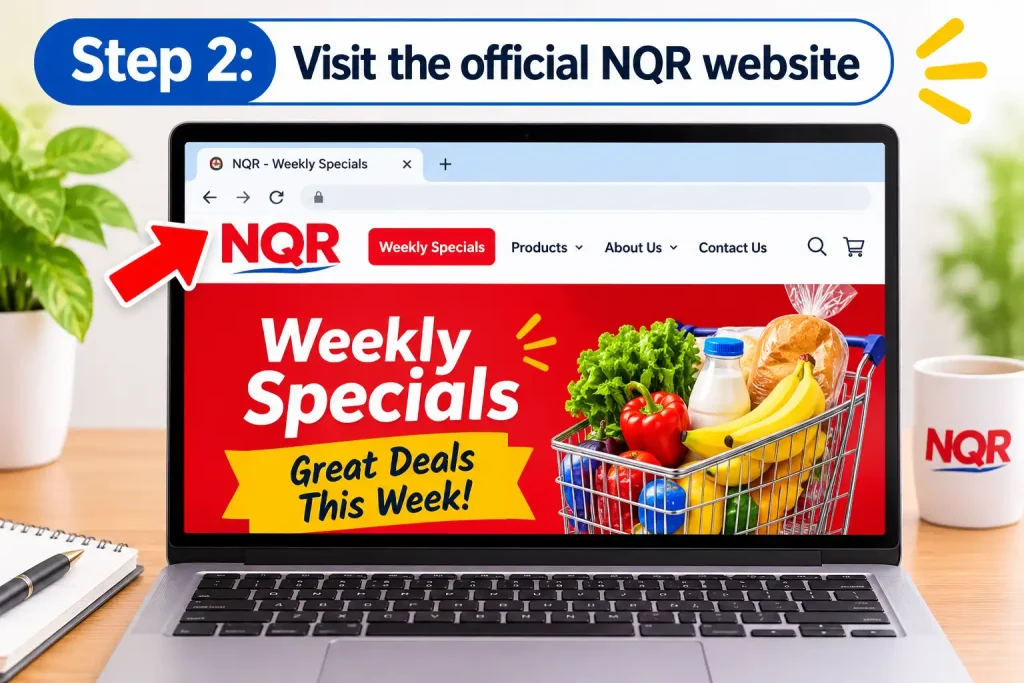
Navigate to the official website:
Check that you are on the retailer’s official domain before browsing products or entering account details.
Step 3: Open the Weekly Specials page
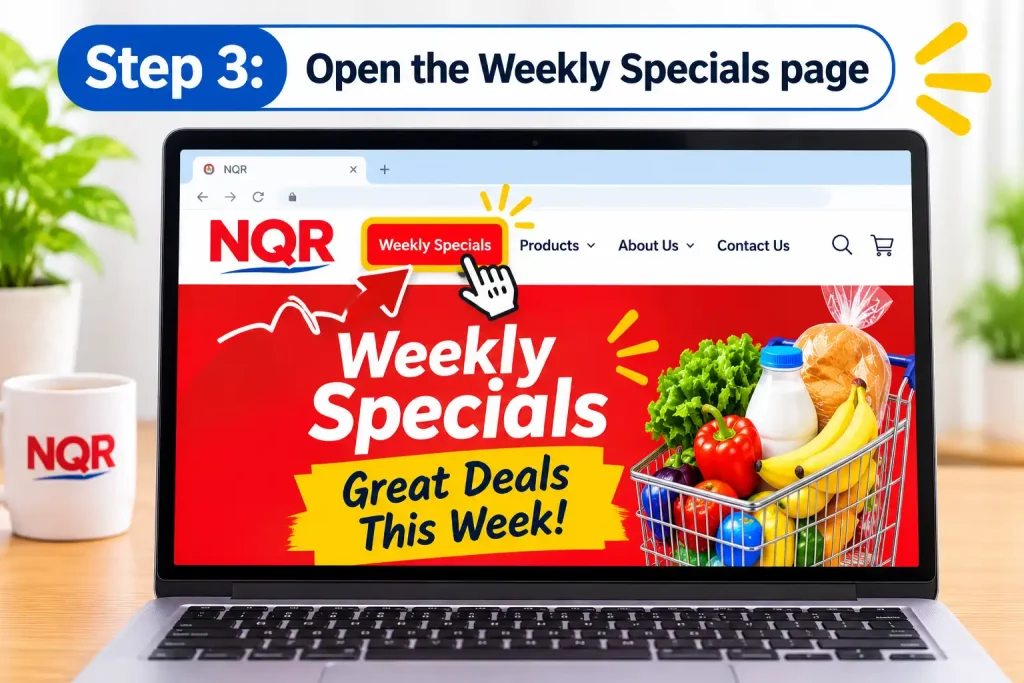
Go directly to the official specials page:
This page is intended to help visitors explore weekly specials and catalogue-related promotions.
Step 4: Review the featured deals
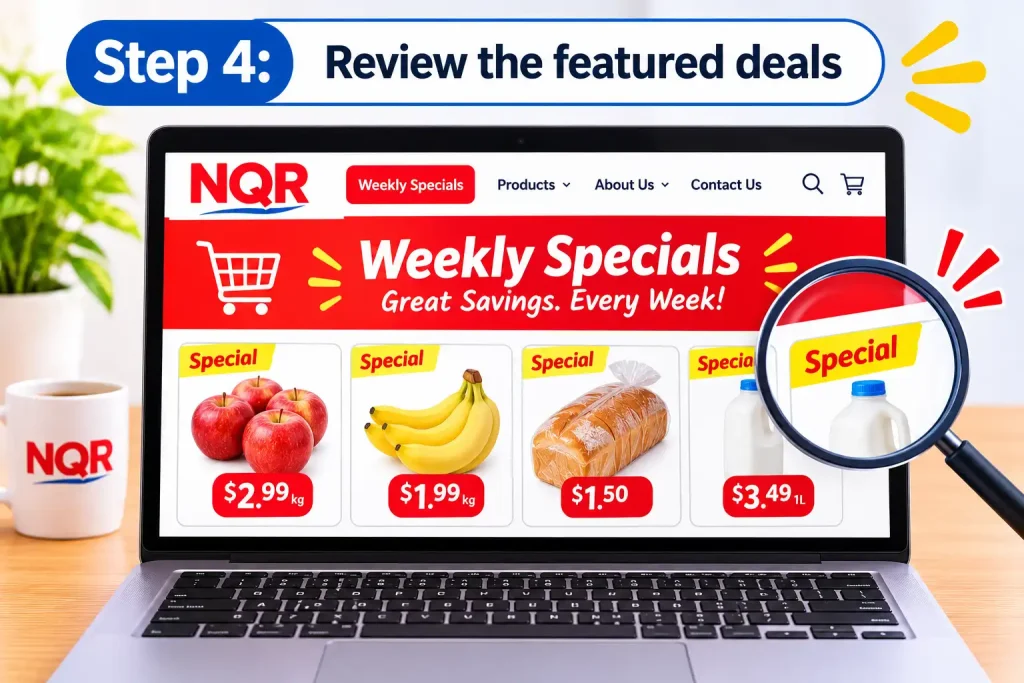
Look through the available promotions and catalogue information. Pay attention to product names, price details, promotional descriptions, and any availability information shown.
Step 5: Open product listings for more information
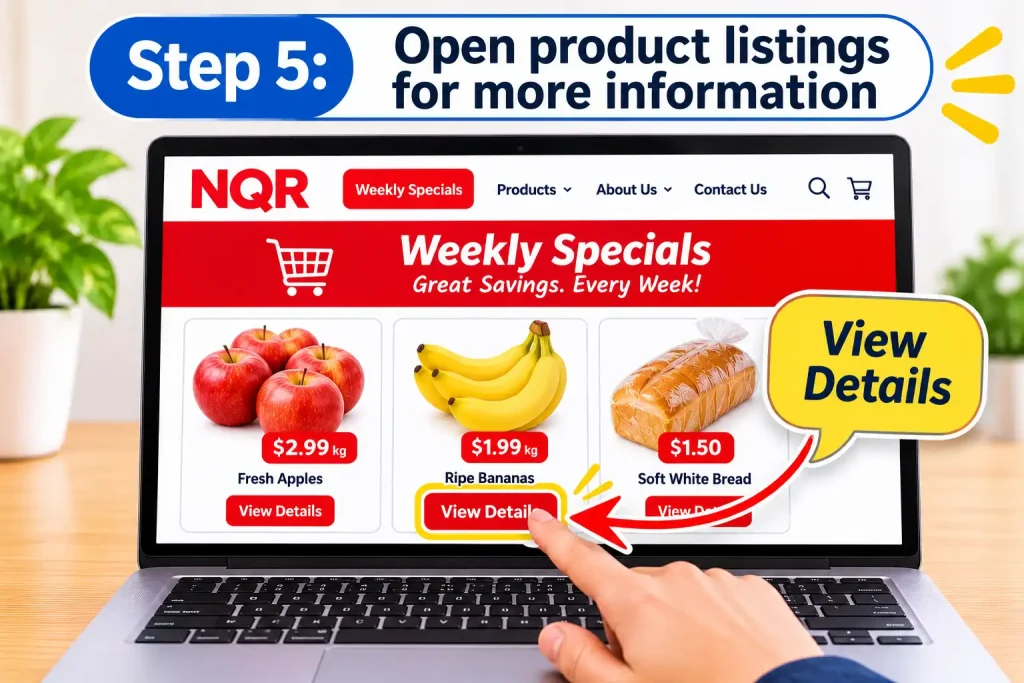
If a deal interests you, navigate to its product listing on the NQR online store. Review the product description, quantity, pack size, variant, and price before deciding whether to buy.
Step 6: Plan your shopping trip
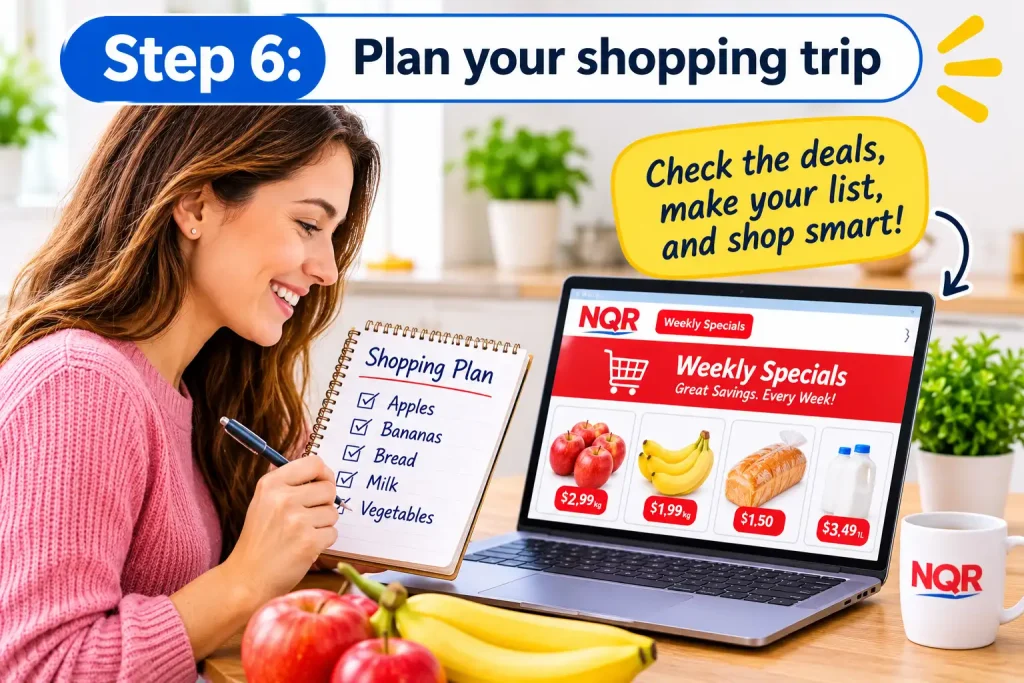
Save the products you want to check, make a shopping list, and decide whether you prefer to shop online or visit a nearby NQR store.
Shopping tip
Check the NQR Catalogue before heading to the store. Clearance items and popular bargains may sell out, so reviewing availability in advance can help prevent an unnecessary trip.
Understanding the NQR Website Menu
The NQR website is more than just a weekly catalogue. It also acts as an online shopping platform, store locator, promotional information hub, and customer contact point.
Understanding the main navigation options can make browsing the NQR Catalogue much easier.
Main website navigation
| Menu option | Purpose |
|---|---|
| Shop Online | Explore products and browse shopping categories |
| Weekly Specials | Find catalogue promotions and featured discounts |
| Find a Store | Locate physical NQR branches |
| Sign Up Now | Find subscription or promotional sign-up options |
| Contact Us | Get assistance with customer enquiries |
| About Us | Learn about NQR and its retail business |
| Blog / What’s the Latest? | Read promotional news and catalogue announcements |
These options provide different ways to use the website depending on whether you are shopping, searching for a particular product, or looking for store information.
Why use the category menu?
Browsing the NQR Catalogue through categories can be faster than scrolling through every featured deal. If you already know what you need, such as biscuits, laundry detergent, coffee, or personal care items, opening the relevant category helps narrow your search.
The online store includes a range of departments and collections, from pantry products and confectionery to homewares, cleaning, health-related merchandise, and seasonal items. NQR Discount Variety Warehouse
Popular shopping categories on NQR
Pantry & GroceryBiscuits, breakfast, cooking, pasta, rice and everyday pantry items.
Snacks & ConfectioneryChocolate, sweets, chips, biscuits and snack products.
Cleaning & LaundryCleaning supplies, laundry products, dishwashing and home essentials.
Health & Personal CareToiletries, hygiene, hair care and everyday personal care products.
You can also explore categories such as homewares, electrical items, clothing and accessories, storage, toys, gifting, pet products, and seasonal merchandise. Product selection may vary as new stock arrives and existing lines sell out.
Browsing Products and Finding the Best Deals
The NQR Catalogue can help shoppers discover products they might otherwise overlook. A good approach is to search by shopping need rather than simply browsing every discounted item.
How to browse products by category
- Open the NQR online store.
- Select Shop Online or browse the available collections.
- Choose a department that matches your shopping requirements.
- Open a product listing to view its details.
- Compare the listed price with your budget and the quantity you actually need.
- Check whether the item is available for online purchase before adding it to your shopping cart.
Categories worth exploring
| Category | What you may discover |
|---|---|
| Pantry | Cooking ingredients, spreads, sauces and pantry staples |
| Biscuits | Sweet biscuits, savoury crackers and assorted biscuit products |
| Chips & Snacks | Packaged snacks and convenient treats |
| Tea & Coffee | Coffee, tea and beverage-related products |
| Cleaning | General household cleaning supplies |
| Dishwashing | Dishwashing liquids and cleaning accessories |
| Laundry | Laundry detergents and washing essentials |
| Personal Care & Hygiene | Everyday toiletry and hygiene products |
| Homewares | Household accessories and practical home items |
| Toys & Gifting | Gifts, toys, puzzles and seasonal merchandise |
Understanding NQR Prices, Discounts, and Product Value
One of the main reasons shoppers browse the NQR Catalogue is to find branded products at reduced prices. NQR focuses on discount retailing, and its inventory may include clearance products, surplus stock, discontinued lines, short-dated products, and special purchases.
The price displayed on a listing is the amount you should check before purchasing. A discount advertised against a recommended retail price (RRP) can help you understand the potential saving, but it is still worth comparing pack sizes and the price you would normally pay elsewhere.
How to compare products effectively
- Check the displayed price: Confirm the actual selling price instead of relying only on discount labels.
- Compare pack sizes: A larger pack is not automatically better value.
- Review the product variant: Flavour, size, quantity and model may differ between similar listings.
- Check expiry or best-before information: Especially relevant for food, beverages and short-dated clearance lines.
- Consider your actual needs: Avoid buying extra items simply because they appear inexpensive.
What does a discounted product offer mean?
| Price detail | What it tells you |
|---|---|
| Current price | Amount payable for the product |
| RRP | Recommended retail price used as a reference |
| Promotional discount | Advertised reduction, where shown |
| Pack size | Quantity, weight or volume included |
| Availability | Whether the product is currently available to order |
| Product variant | Specific flavour, colour, model or type |
NQR may promote products with substantial reductions, sometimes advertising savings of up to 80% off RRP. Actual discounts vary by product, so don’t assume every catalogue item has the same saving.
How to Shop Online Through NQR
The NQR online store gives shoppers another way to explore discounted merchandise without visiting a physical branch. Online shopping is particularly useful for checking available products, comparing prices and building a shopping cart before checkout.
Step 1: Open the NQR online store
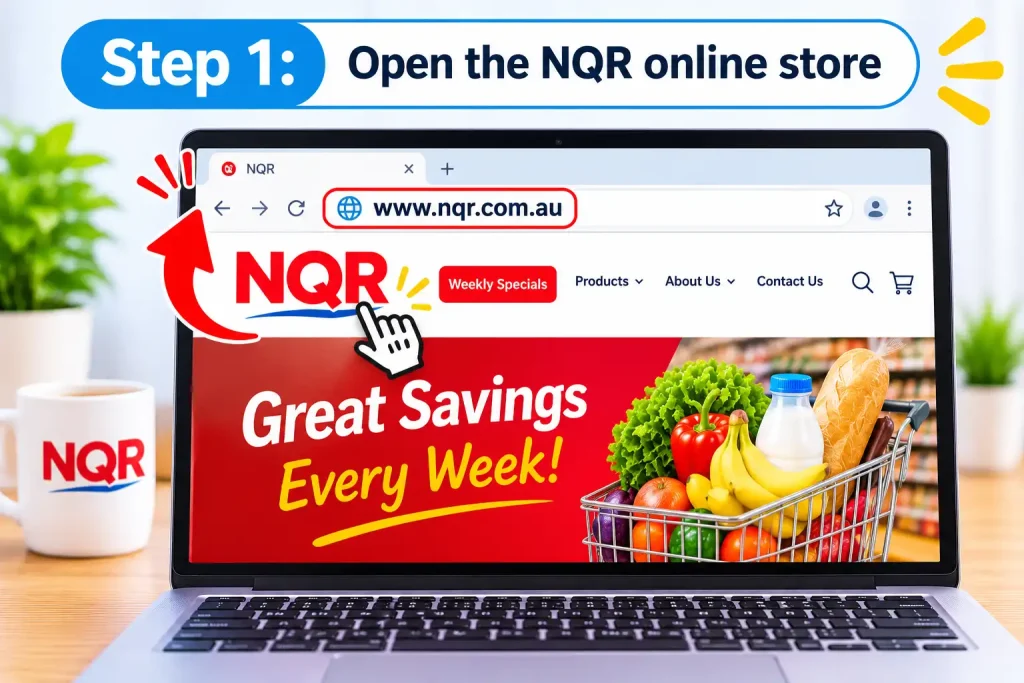
Visit NQR official website and select the online shopping area.
Step 2: Search or browse for products
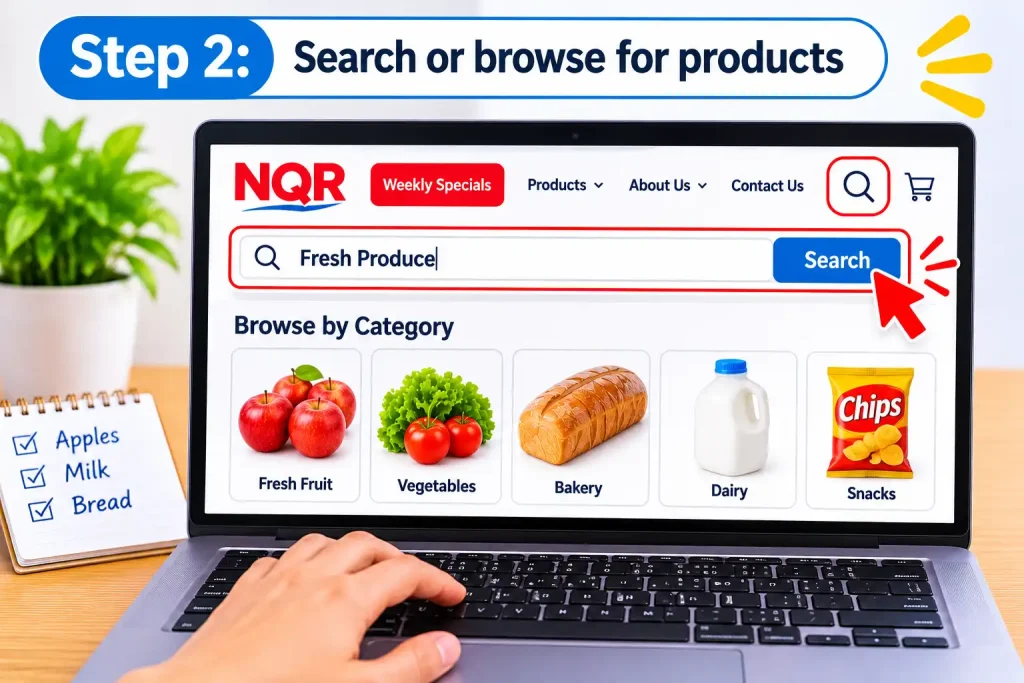
Explore the department menus or use available search functionality to locate products. If you are looking for snacks, cleaning supplies or pantry items, use the corresponding category to reduce browsing time.
Step 3: Review the product listing
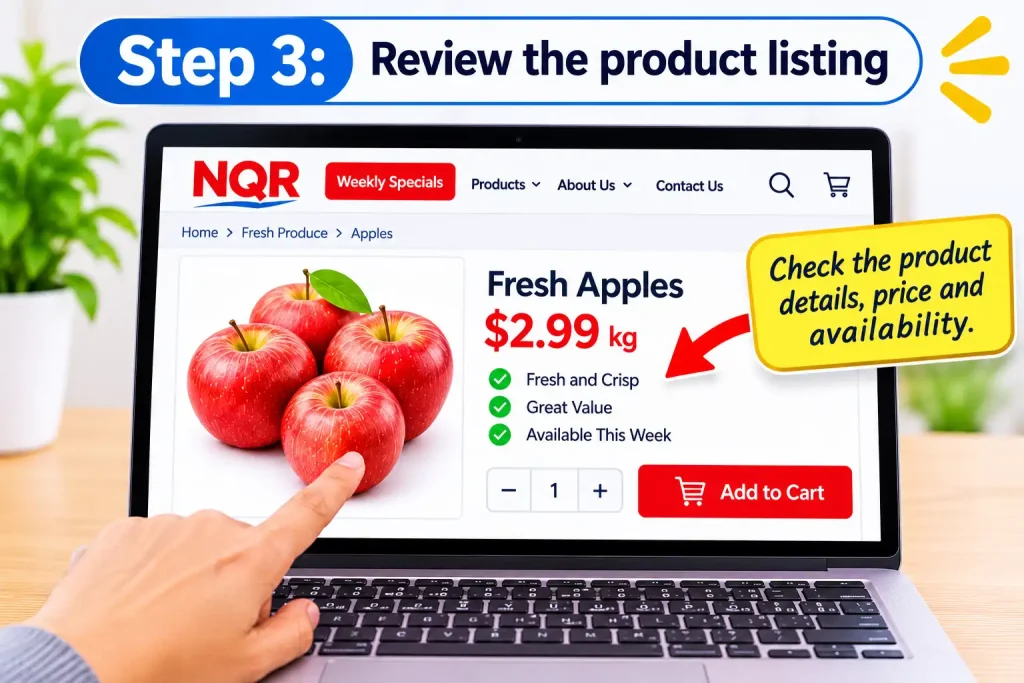
Before selecting an item, check:
- Full product name and brand
- Size, weight or pack quantity
- Product variant
- Current price
- Availability status
- Any relevant product information
Step 4: Add items to your shopping cart
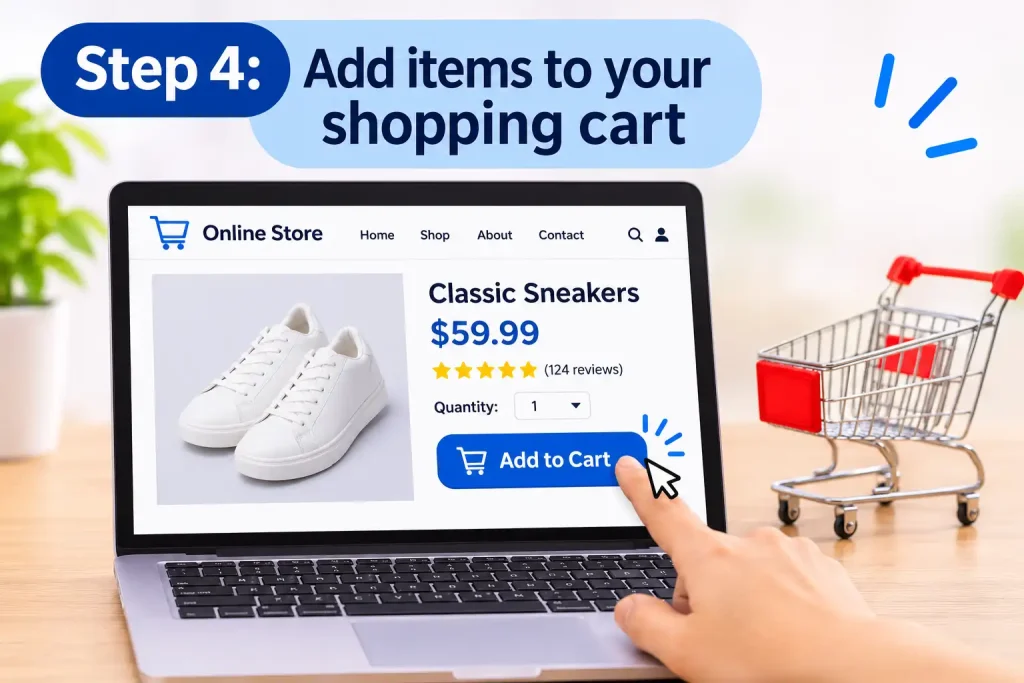
Select the quantity you need and add available products to your cart. Review your selections as you go, particularly if you are shopping for several household members.
Step 5: Check the shopping cart
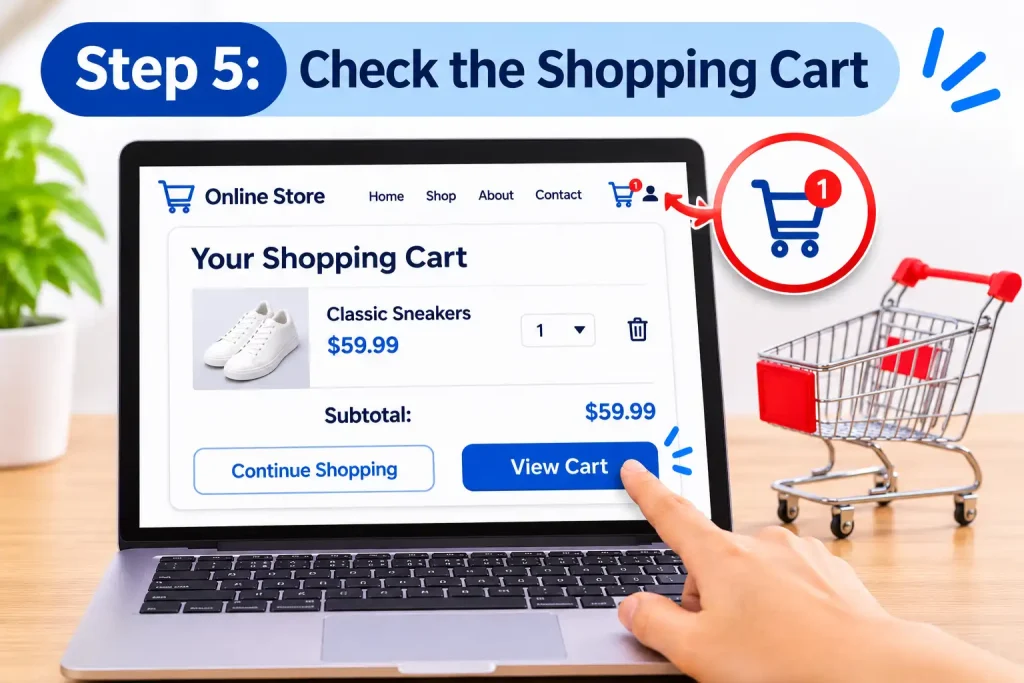
Before proceeding, verify the products, quantities and prices. Remove anything you added by mistake and check the order total.
Step 6: Proceed through checkout
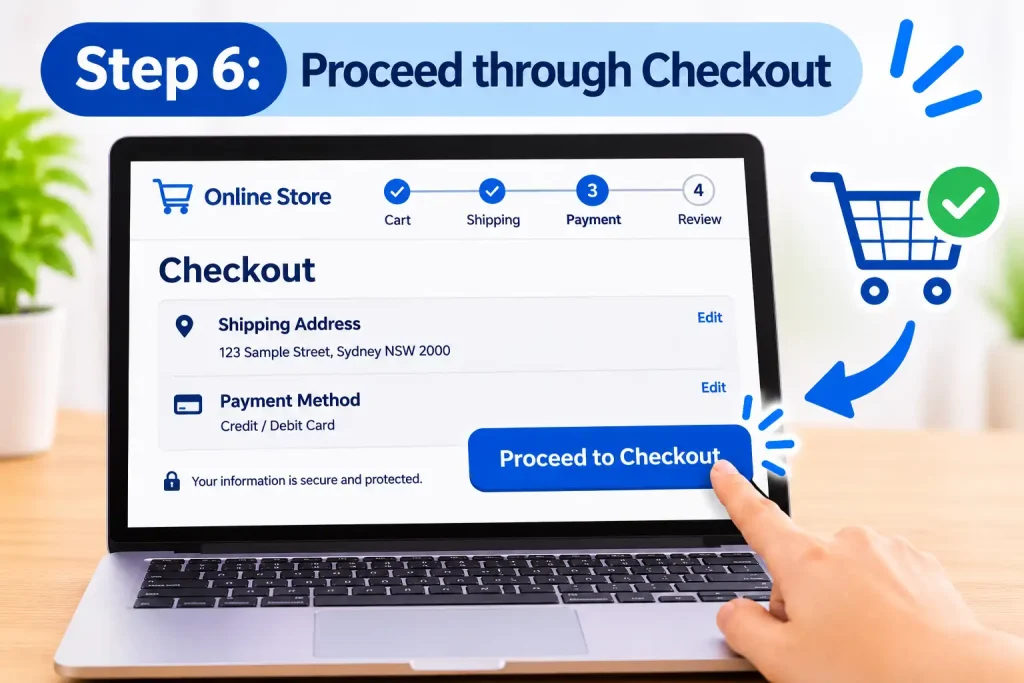
Follow the website’s checkout prompts. Enter delivery and payment details only on the official site and review the available delivery or fulfilment options before confirming the order.
Step 7: Review your order confirmation
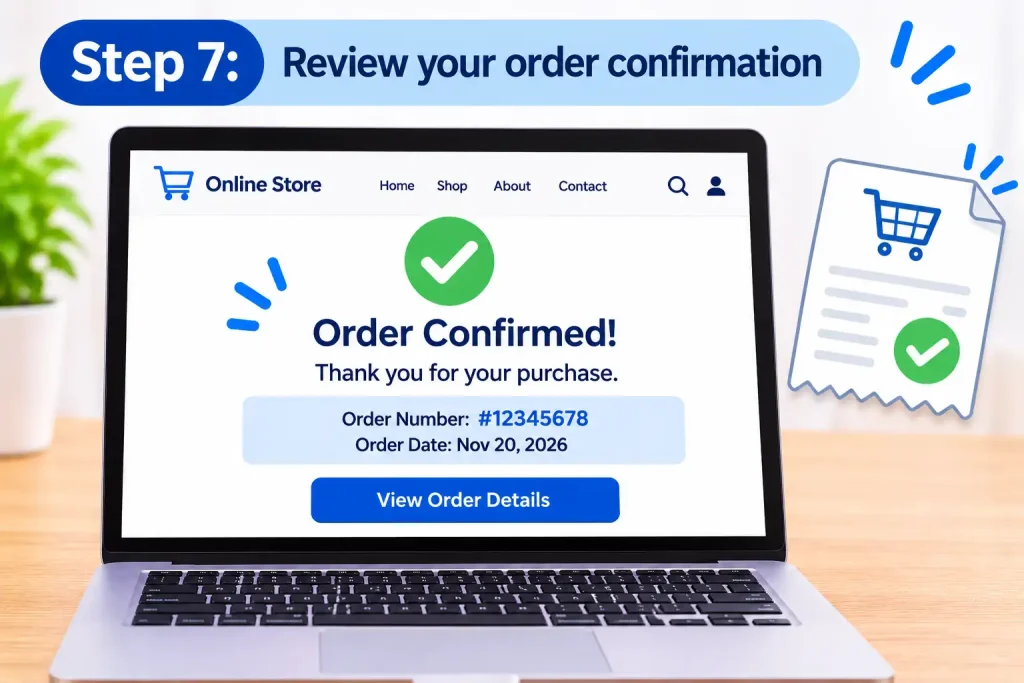
After placing an order, look for the confirmation details provided by the website. Keep any order reference or confirmation email available in case you need to follow up about your purchase.
Product Availability, Clearance Stock, and Sold-Out Items
The NQR Catalogue works differently from a traditional supermarket catalogue where customers might expect the same products to remain available week after week. Discount retailers often rely on changing stock sources, so certain items may appear briefly and then disappear once the available quantity has been sold.
This means you should treat catalogue products as limited-stock opportunities rather than guaranteed long-term listings.
Why products may disappear
Limited quantitiesSome discount products arrive in small batches and may sell quickly.
Changing stockNew deliveries and clearance lines can change the range of products available.
Other reasons include:
- A product has been discontinued by its original supplier.
- A promotional line has finished.
- Online stock has been allocated or sold.
- Stock levels differ between the online store and physical branches.
- A particular flavour, size or variant is no longer available.
What to do if a product is sold out
- Check the product listing again to confirm its current availability.
- Browse the same category for similar alternatives.
- Use the Find a Store option to check local branch information.
- If the item is important to your shopping list, contact NQR through its official contact channels and ask whether any availability information can be provided.
Don’t assume that a sold-out online listing means the product is unavailable at every physical store. Equally, don’t assume a store has stock without confirming.
How to Find Your Nearest NQR Store
Shopping in person can be a practical option when you want to inspect products, compare items on the shelves, or avoid online delivery costs. NQR has physical stores across Victoria and South Australia, making its store locator useful for shoppers in those regions.
Steps to locate an NQR store
- Open the official NQR website.
- Look for the Find a Store option in the main navigation.
- Open the store locator or store information page.
- Browse the listed store locations.
- Select the store you plan to visit.
- Check the available location details and any listed opening hours before travelling.
Before visiting
Product availability, opening hours, and store information can change. Check the latest details through NQR’s official website before making a special trip.
Online shopping or visiting a store?
| Shopping method | Best for | Consideration |
|---|---|---|
| NQR online store | Browsing products from home and placing online orders | Delivery options, charges and stock availability |
| Physical NQR store | Inspecting products and shopping in person | Travel time and branch-specific stock |
| Weekly Specials page | Discovering promotions before shopping | Deals and product availability can change |
| Blog and news | Reading catalogue announcements and promotional updates | Check article dates and current listings |
Ways to Save More When Using NQR Catalogue
Browsing discounts is useful, but having a plan helps you make better shopping decisions. The best savings come from buying products you genuinely need at a worthwhile price rather than spending more because a promotion looks attractive.
Practical savings strategies
Make a shopping list first
Write down groceries and household items you need before opening the NQR Catalogue. This gives you a clear purpose and makes it easier to avoid unnecessary purchases.
Compare unit prices
When possible, compare the price per 100 grams, kilogram, litre, or individual item. This can help you identify which pack offers better value.
Check product dates
For food and other dated merchandise, check the best-before or use-by information where applicable. Make sure the quantity you buy is realistic for the time you have to use it.
Look beyond the headline discount
A product advertised as heavily discounted may not be the cheapest option available elsewhere. Compare the actual selling price and product size before making your decision.
Shop for household needs together
Combining several necessary products into one shopping trip or online order can make your planning more efficient.
Check weekly
The NQR Catalogue can change as new products and promotions arrive. Checking regularly may help you spot new offers that suit your shopping needs.
A simple NQR shopping checklist
Check current NQR Weekly SpecialsPrepare a grocery and household shopping listCompare product prices and pack sizesReview product details and datesCheck availability online or at the storeReview the final shopping total
0 of 6 tasks completedReset checklist
Common Problems While Using the NQR Website
Although the NQR website is designed for browsing and shopping, you may occasionally run into issues with product availability, navigation, or online orders.
| Problem | What you can try |
|---|---|
| Weekly specials page isn’t loading | Refresh the page or open the website in another browser |
| Can’t find a particular product | Search the website or browse the relevant category |
| Product shows sold out | Check for similar products or enquire about store availability |
| Unsure about pack size | Read the full product title and description |
| Online order issue | Review your order confirmation and contact NQR support |
| Can’t find a nearby store | Open the store locator and check the listed locations |
| Promotion appears outdated | Check the latest listing and publication date |
FAQs
Final Thoughts
The NQR Catalogue is a practical starting point for Australians who want to discover discounted groceries, branded products, household essentials and limited-time bargains. Its weekly specials page, online store, product collections, blog updates and store locator help shoppers plan purchases in a way that suits their needs.
The most effective way to use NQR is to browse with a shopping plan. Compare prices, check product sizes, pay attention to availability and purchase items you are likely to use. Because NQR’s stock can change quickly, a deal you see today may not remain available later.
Whether you’re shopping for pantry essentials, snacks, cleaning products or household merchandise, the official NQR website provides a convenient place to start looking for discounts.
Read More:
NSW General Boat Driving Licence: Complete User Guide
AITSL: Complete User Guide to Teacher Registration, Accreditation and Skills Assessment in Australia
Connect DET: How to Access and Use the WA Department of Education Portal
QuickCliq: Complete User Guide for Parents and School Communities in Australia
LeapFrog Australia: A Complete Guide to Learning Devices, Accounts and Online Support