Managing a Queensland driver licence, vehicle registration, infringement or other transport matter can often be done online through the Department of Transport and Main Roads (TMR). The department provides a range of digital services for everyday licensing, registration and motoring needs.
For personalised services, eligible Queensland customers can use My account to manage licences, registrations, infringements, contact details, documents and transaction history. The service is designed for use on desktop computers, tablets and mobile devices.
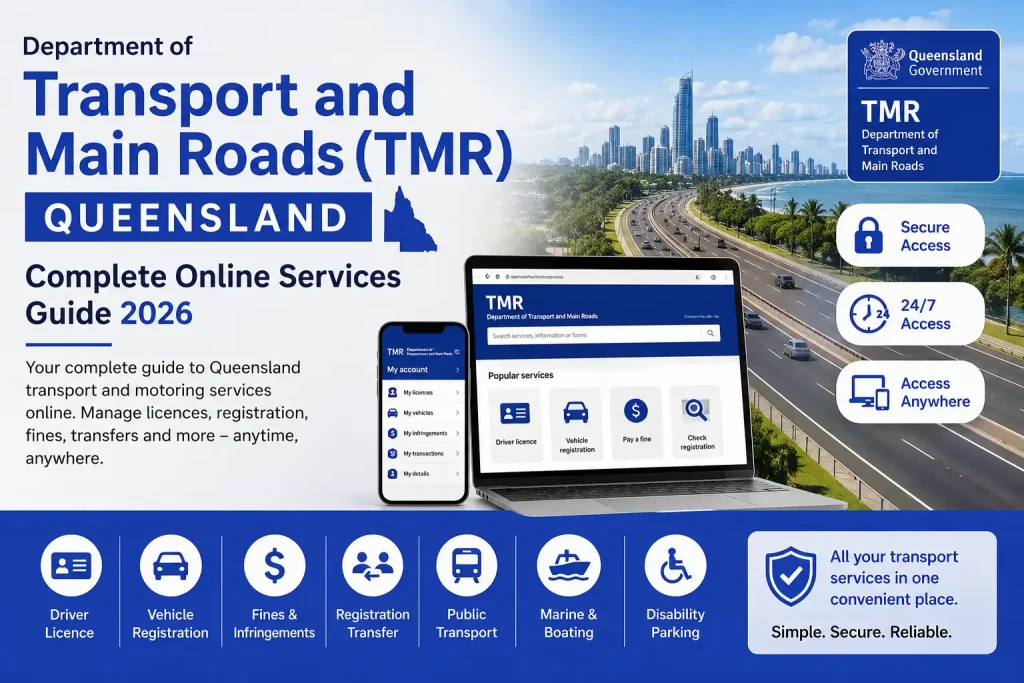
Which TMR Services Can You Use Online?
TMR’s online system covers a broad range of Queensland transport and motoring tasks. Many routine transactions can be completed online instead of requiring a visit to a customer service centre.
Common online services include:
The TMR website also highlights services such as My account login, address changes, driver licence renewal, registration renewal, fine payments, journey planning, traffic information and practical driving test bookings. This makes the online portal useful for both occasional transactions and ongoing account management.
How to Get Started With TMR My Account
If you need access to personalised transport and motoring services, My account is generally the place to begin. It brings a number of licensing and registration services together in one location.
What Information Do You Need?
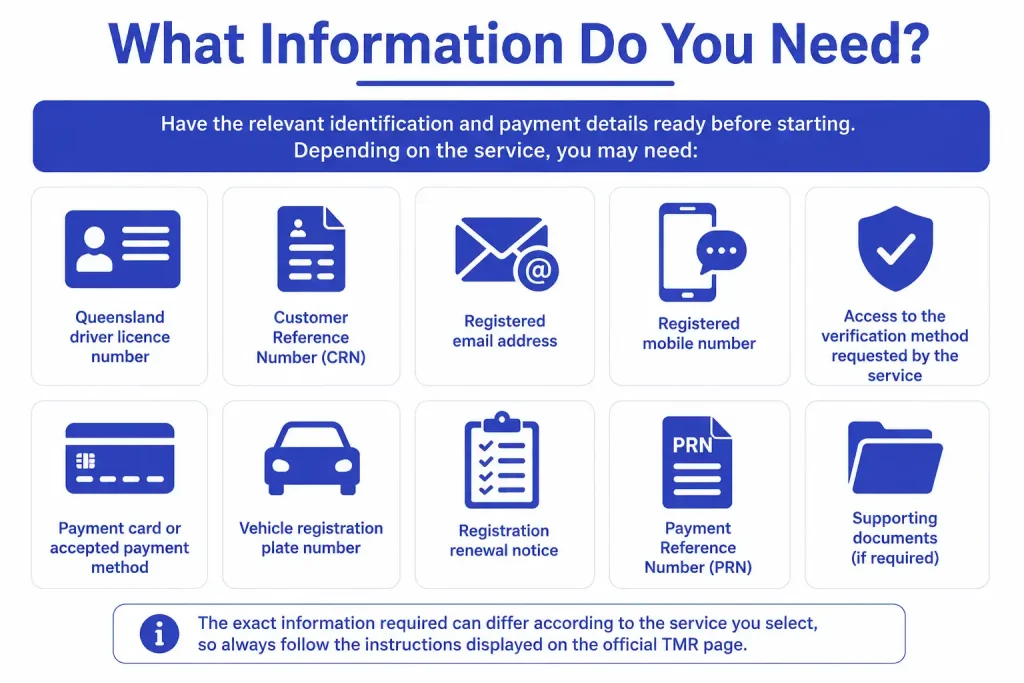
Have the relevant identification and payment details ready before starting. Depending on the service, you may need:
The information required can vary between services, so follow the instructions displayed on the relevant official TMR page.
Accessing Your TMR Account

The sign-in process is straightforward:
Visit the official TMR website: Start from the Queensland Department of Transport and Main Roads website rather than an unfamiliar third-party login page.
Open My account: Select the My account option from the available transport and motoring services.
Enter your details: Provide the requested Queensland licence or customer information and carefully check the numbers before proceeding.
Complete verification: Depending on your account and the service, authentication may involve an Online Access Code sent to your registered email or mobile number, or Queensland Digital Identity (QDI).
Open your dashboard: After successful authentication, you’ll be able to access the services available to your account.
What Can You Manage in My Account?

The official My account service provides access to several useful functions. Eligible customers can update their address, email and mobile number, subscribe to notices and reminders, view and renew registrations, manage eligible licences, check demerit points, review current and previous infringements, and access documents and transaction history.
Fore More Information:
Visit Homepage
Security tip: Before entering your licence details, CRN, password or payment information, make sure you’re using an official Queensland Government or TMR service.
Driver Licence Services Through TMR
Driver licensing is one of the main areas covered by Queensland’s online transport services. Depending on eligibility, customers can renew a licence, check demerit points, replace certain licence-related documents and access practical driving test booking services.
Renewing a Queensland Driver Licence Online
If your licence qualifies for online renewal and there are no medical changes requiring additional assessment, you can complete the renewal through the relevant TMR online service.
The general process is:
TMR’s My account service confirms that eligible customers can renew their driver licence online.
Before renewing: Check your personal information first. If your address, email address or mobile number is out of date, updating it can help make sure future notices and reminders reach you.
Checking Your Queensland Demerit Points
Drivers may also use TMR’s online services to review their demerit-point information. If you have an active Queensland licence, the relevant online service can show your current information, while eligible My account users can access demerit-point details through their account.
To check your points:
Checking your record can be particularly useful after receiving a traffic infringement because it gives you access to your current information rather than relying on memory.
If your licence has been suspended, you must not drive during the suspension period. Queensland Government information also states that if a licence expires while it is suspended, it may need to be renewed before you can drive again.
Replacing a Licence or Updating Licence Documentation
A lost, stolen or damaged licence may need to be replaced. Customers who have changed address may also need to update the relevant licence documentation.
The online options available depend on your circumstances and the type of document involved. The safest approach is to start with the official TMR online services and follow the instructions for your particular situation.
Before submitting a replacement request, check that your personal details are correct. Accurate information can help prevent further problems once the replacement has been issued.
Booking a Practical Driving Test Online
Learner and provisional drivers may be able to access practical driving test booking services online when they meet the applicable requirements.
The process generally follows this path:
My account or online services → Book practical driving test → Select location → Choose an available appointment → Pay the booking fee → Save confirmation
Appointment availability can change according to location and time, so use the official booking system to see the options currently available.
Vehicle Registration: Renew and Manage Your Rego
Vehicle registration is another major part of Queensland’s TMR online services. For many motorists, renewing registration online is particularly useful because it can remove the need for an in-person customer service centre visit.
How to Renew Queensland Vehicle Registration Online
If possible, have your registration renewal notice nearby before starting. The Payment Reference Number (PRN) can be used for the transaction, and the vehicle plate number may also be requested depending on the service.
Registration Renewal Process
Open the registration service: Visit the official TMR website and select the registration renewal option.
Enter your vehicle information: Use the PRN from your renewal notice or enter the vehicle registration plate number when that option is provided.
Choose the registration period: Select an available period, such as 3, 6 or 12 months, based on the options shown for your vehicle.
Review the transaction: Check the vehicle information, renewal period and amount payable.
Make the payment: Use an accepted payment method to complete the transaction.
Keep your confirmation: Save the receipt or confirmation for your records.
TMR confirms that its online services can be used to pay registration and complete other transport and motoring transactions.
Important: Don’t leave registration renewal until the last moment. Queensland Government guidance states that registration should be paid by its due date, and driving an unregistered vehicle is an offence.
Managing Registration With Direct Debit
Eligible customers can use Direct Debit through My account if they want to reduce the risk of forgetting a future registration renewal.
The setup process generally involves:
Direct debit can make future renewals more convenient, but it’s still important to keep your payment details current. Monitoring the account can help prevent a renewal payment from failing because of outdated payment information.
Key Things to Remember
TMR’s online services bring many Queensland transport tasks together in one place. Whether you’re renewing a licence, checking demerit points, booking a practical driving test or managing vehicle registration, begin with the official Department of Transport and Main Roads service and follow the instructions for the specific transaction.
Keep your licence, CRN, contact and payment information accurate, and always verify that you’re using an official Queensland Government or TMR service before entering sensitive details.
Queensland TMR Services for Registration, Fines and Transport
Once your Queensland vehicle registration is sorted, the Department of Transport and Main Roads (TMR) offers several other online services for managing ownership changes, checking registration details and dealing with transport-related infringements. These digital options can make routine tasks easier, particularly when a vehicle is bought or sold.
Transferring Queensland Vehicle Registration Online
Selling or buying a registered Queensland vehicle involves separate responsibilities for the seller and buyer. TMR provides online services for both sides of the registration transfer, so it is important to select the transaction that applies to your role.
Selling a Registered Vehicle
If you’re selling a registered vehicle, you should lodge the appropriate Transfer Registration as Seller transaction through the official TMR service.
You’ll generally need the buyer’s information as well as relevant safety certificate details when they are required.
Seller transfer process
Take particular care when entering the buyer’s name, address and vehicle information. Incorrect details can make the transaction more difficult to resolve later.
Buying a Registered Vehicle
The buyer has a separate responsibility to accept the registration transfer. The information supplied for this guide states that the buyer should complete Transfer Registration as Buyer within 14 days.
The buyer process involves confirming the vehicle and ownership details and paying any applicable duty or transfer fees.
Buyer transfer process
Start with the official TMR service: Open the Department of Transport and Main Roads online service.
Select the buyer transaction: Choose Transfer Registration as Buyer.
Enter the required information: Provide the requested registration and ownership details.
Check the seller’s information: Review the details supplied as part of the transaction.
Complete declarations: Provide any declarations required by the service.
Pay applicable charges: Pay any required duty and transfer fees.
Submit and save the confirmation: Complete the transfer and retain the confirmation for your records.
Buyer tip: A seller’s transfer notification does not necessarily complete the buyer’s part of the process. Check your own TMR requirements and complete the buyer transaction within the applicable timeframe.
Checking Queensland Registration Status
You don’t always need to sign in to My account to check basic registration information. TMR provides a registration-status service that allows you to search information linked to a Queensland registration plate.
This can be useful when checking your own vehicle, confirming a vehicle’s registration or reviewing basic details while considering a used vehicle.
Checking a vehicle’s registration
Depending on the service, the results may include the registration expiry date, vehicle make and current registration status.
A registration-status search is only a basic check. It should not be treated as a substitute for examining the complete history of a used vehicle before purchasing it.
Managing Queensland Fines and Infringements
TMR’s online services can also help motorists deal with traffic fines and infringements. If you receive an infringement notice, read it carefully before taking action because it contains key details such as the infringement number, payment information and relevant due date.
Depending on the circumstances, online services may allow you to pay an infringement, transfer responsibility to another driver or view available offence images.
Paying a Queensland Fine Online
If you’re responsible for an infringement and need to pay it, the online process can be completed using the information shown on your notice.
Basic payment process
Open the official service: Begin through the Department of Transport and Main Roads website.
Choose the payment option: Select Pay a Fine or the appropriate infringement payment service.
Enter your notice details: Provide the Infringement Notice Number or Payment Reference Number requested.
Check the information: Confirm that the details shown by the service match your infringement notice.
Make the payment: Use an accepted payment method to pay the displayed amount.
Save your confirmation: Keep the receipt or confirmation number as proof of payment.
The information supplied for this guide states that fines should be paid within 28 days of issue. However, always check the actual due date on your infringement notice because that date applies to your individual matter.
What Happens If You Were Not Driving?
Being the registered owner of a vehicle does not necessarily mean you were driving when an offence occurred. Where the applicable process allows it, you may be able to transfer the fine to the person who was responsible for the vehicle at the time.
This is particularly relevant to camera-detected offences, where an infringement may initially be associated with the registered vehicle or owner.
Transferring a Fine to Another Driver
The information supplied for this guide outlines the following general process:
Only provide accurate information when transferring an infringement. Another person should not be nominated simply because they are connected with the vehicle.
Important: If you weren’t driving, deal with the infringement as soon as possible rather than allowing the relevant deadline to pass.
Viewing Camera Offence Images
For some camera-detected offences, eligible customers may be able to view available images through TMR My account. This can provide additional information about an infringement associated with a speed or red-light camera offence.
How to find available images
Not every infringement will have images available online. If no image is provided, follow the instructions included with your infringement notice.
Payment Plans for Eligible Fines
Some people may not be able to pay an eligible fine in a single transaction. The information provided for this guide identifies a Queensland Revenue Office (QRO) payment-plan pathway for eligible fines.
For the circumstances described in the source material, the fine total must be $200 or more. Anyone seeking an arrangement should use the official Queensland Government or Queensland Revenue Office pathway rather than an unofficial third-party service.
Because eligibility and payment arrangements can vary, check the official service for the current conditions before applying.
Public Transport and Mobility Services
The Department of Transport and Main Roads also covers services beyond private vehicles and driver licensing. Queensland’s wider transport network includes public transport and mobility services, with Translink providing public transport information and related services across the state.
Using Translink Services
Depending on the service, customers can access options involving:
Some of these services may open through a Translink platform rather than directly inside the main TMR account.
When entering account or payment details, make sure you’re using the official Translink or Queensland Government platform.
School Transport Assistance
Families may also use Department of Transport and Main Roads services when applying for school transport assistance or transport-related concessions.
Eligibility can depend on the particular programme, the student’s circumstances, location and other requirements. Since these schemes can have specific conditions and evidence requirements, check the current Queensland Government information before applying.
Don’t assume that every student qualifies. Review the requirements for the specific assistance programme before preparing an application.
Disability Parking Permit Services
TMR also provides services connected with disability parking permits. Eligible individuals and organisations can use the relevant online service to begin an application or manage the applicable permit process.
Applying for a Disability Parking Permit
The supplied information describes these general stages:
Open the official permit service: Begin through the Department of Transport and Main Roads website.
Choose the correct application: Select Apply for Disability Parking Permit and identify whether the application is for an individual or organisation.
Complete the applicant information: Enter the required personal or organisational details.
Provide medical information: Where required, submit or upload the relevant statement from a medical practitioner.
Review the application: Check the names, contact details and supporting information.
Submit the application: Follow the final instructions displayed by the official service.
Disability parking eligibility and documentation can be specific, so use the current official requirements rather than relying on an older application checklist.
Marine and Boating Services
TMR also manages services connected with Queensland’s marine and boating environment. Depending on the transaction, online services can cover matters involving:
For boat and personal watercraft owners, keeping registration and licence information current is an important part of managing these responsibilities.
Troubleshooting Common TMR Online Service Issues
Most routine transactions can be handled online, but certain problems may prevent a service from being completed.
Your Licence or Customer Details Don’t Match
If the information entered doesn’t match the Department of Transport and Main Roads record, the system may prevent you from continuing.
Check the following details:
Don’t repeatedly guess information. If the details still cannot be verified, use the official TMR support pathway.
Your Verification Code Hasn’t Arrived
If an expected Online Access Code doesn’t arrive, first check that the email address or mobile number linked to your account is correct.
Also check for filtered or delayed messages. If authentication still doesn’t work, follow the official account recovery or support instructions instead of creating duplicate accounts.
Your Payment Didn’t Work
A payment may fail because of incorrect card information, a declined transaction or another payment issue.
Before attempting the payment again, check whether your bank has already processed it. If money has been deducted but TMR doesn’t show a successful transaction, keep the payment details and contact the appropriate official service rather than submitting repeated payments.
Your Registration Information Appears Incorrect
If the information shown online doesn’t look right, compare it with your latest renewal notice and other official documents.
For matters involving legal ownership or registration, don’t rely solely on an online result. Contact the Department of Transport and Main Roads through its official support channels for clarification.
TMR Online Services at a Glance
| Service | Typical online action |
|---|---|
| Driver licence | Renew or manage eligible licence services |
| Demerit points | Check current demerit information |
| Driving test | Find and book an available practical test |
| Vehicle registration | Renew and manage eligible registration services |
| Direct debit | Set up ongoing registration payments |
| Registration transfer | Submit buyer or seller transfer information |
| Registration check | Check registration status using the plate number |
| Fines | Pay eligible infringements online |
| Fine transfer | Nominate the responsible driver where permitted |
| Camera images | View available offence images |
| Public transport | Access Translink-related services |
| Disability parking | Apply for relevant permit services |
| Marine services | Manage selected boating and marine matters |
Before You Use TMR Online Services
A little preparation can make online transport transactions smoother.
Keep the required information nearby
Have your licence number, CRN, registration plate, renewal notice, infringement notice or other relevant reference information available before starting.
Use official services
Start with the official Department of Transport and Main Roads website whenever possible. Be cautious of advertisements and unofficial pages that imitate Queensland Government services.
Pay attention to deadlines
Registration renewals, infringement payments, vehicle transfers and other transactions may have specific deadlines. Always check the notice or official instructions instead of relying on a general timeframe.
Keep proof of completed transactions
Save receipts, confirmation numbers and other relevant documents after completing an online transaction. These records can be useful if you later need to demonstrate that a payment or application was submitted.
Keep your account information updated
An old mobile number, email address or postal address can make future verification and notifications more difficult. Keeping your contact information current can help avoid unnecessary problems.
Get Ready Before Using TMR Online Services
Having the right information at hand can save time, particularly when an online service asks for a specific reference number.
Depending on the transaction, you may need:
You won’t necessarily need every item listed above. The information required depends on the particular TMR service you’re using.
Keep Your Personal Details Current
Your TMR account and transport records are more useful when the information attached to them is accurate. If you move house or change your phone number or email address, check whether the relevant TMR service allows you to update those details online.
Keeping contact information current is especially useful when a service relies on verification codes or sends important notifications.
It’s worth checking your details when you:
A few minutes spent keeping your information up to date can prevent problems during a later transaction.
Finding the Correct TMR Service
The easiest way to avoid choosing the wrong online service is to identify the type of task you need to complete first.
For driver licence matters
Look for services covering:
For vehicle-related tasks
Relevant services may include:
For infringements and fines
Start with the appropriate infringement service and keep your notice nearby. Depending on your circumstances, you may need to:
- Pay an infringement
- Transfer responsibility to another driver
- View available offence images
- Check options for paying an eligible fine over time
For public transport
Some public transport functions are provided through Translink or another Queensland Government service rather than directly through TMR My account. If you’re managing a go card, planning a journey or looking for public transport information, use the service specifically provided for that task.
TMR Online Mistakes Worth Avoiding
Small errors can cause delays, particularly when a transaction depends on matching information against government records.
Using the Wrong Reference Number
A renewal notice or infringement notice may contain several different numbers. They aren’t necessarily interchangeable.
If the online service asks specifically for a Payment Reference Number (PRN), enter the PRN rather than another number shown on the notice.
Leaving an Old Mobile Number on Your Account
An outdated mobile number can create problems if the service sends an Online Access Code to the number recorded against your account.
If you’ve changed your number, check the available account-management options and update your contact information where permitted.
Leaving Transactions Until the Last Minute
Don’t wait until a deadline is almost due before starting an important transaction.
Registration renewals, fines, ownership transfers and licence matters can sometimes require additional information or troubleshooting. Starting earlier gives you more time to deal with an unexpected issue.
Starting With an Unofficial Website
Search results can include third-party pages alongside government websites. For sensitive information such as your licence number, CRN or payment details, begin with the official Queensland Government or TMR website.
This also helps reduce the risk of entering personal information into a website that isn’t responsible for your transaction.
Not Keeping Proof of Completion
Once a payment or application has gone through, save the confirmation.
Keep the receipt, transaction number or confirmation screen where possible. If there is a later question about whether the transaction was submitted, these records can be useful.
Using TMR Services on a Phone
Many Queensland residents access online transport services from a mobile device. Before starting an important transaction, make sure your browser is up to date and your connection is reliable.
A computer or larger screen may be more comfortable when a transaction involves numerous fields or supporting documents, but the key requirement is to use the official service and check your information carefully before submitting it.
If an online page isn’t working properly, try:
Avoid installing unofficial apps or entering government account details into unfamiliar websites.
What to Do After Completing a TMR Transaction
The outcome depends on the service you’ve used. A successful transaction may provide a confirmation message, payment receipt, reference number, updated account information, downloadable document or instructions for another step.
Don’t close the page immediately after submitting your information. Read the final confirmation carefully and check whether any further action is required.
A payment doesn’t always mean every part of a process has been completed. If the service asks you to provide another document or complete another step, follow those instructions.
TMR Online Services at a Glance
| Service area | What you may be able to do online |
|---|---|
| My account | Manage eligible personalised transport services |
| Driver licence | Renew and manage selected licence services |
| Demerit points | Check current demerit information |
| Driving tests | Book an available practical driving test |
| Vehicle registration | Renew and manage eligible registration |
| Direct debit | Arrange ongoing registration payments |
| Registration transfer | Handle buyer or seller transactions |
| Registration status | Check information using a registration plate |
| Fines | Pay eligible infringements |
| Fine transfer | Transfer responsibility where permitted |
| Offence images | View available camera-detected offence images |
| Public transport | Access Translink-related services |
| School transport | Find relevant assistance information |
| Disability parking | Apply for relevant parking permit services |
| Marine services | Manage selected boating and marine matters |
The services available to you can vary depending on your circumstances, eligibility and the type of transaction involved.
Frequently Asked Questions About Queensland TMR Services
A Better Way to Manage Your TMR Tasks
A consistent routine can make online transport transactions easier.
Start at the official TMR website.
This gives you a reliable starting point and reduces the chance of using an unofficial service.
Work out exactly what you need to do.
Choose the service that matches your task, whether it’s licensing, registration, infringements, public transport or another transport matter.
Prepare your details first.
Have your licence number, CRN, registration details, PRN or infringement notice nearby when required.
Check the information before submitting it.
Names, numbers and vehicle details should match your official records.
Review the payment.
Before confirming a transaction, check the service, amount and payment details.
Save the confirmation.
Keep your receipt, reference number or other proof that the transaction was submitted.
Watch the deadline.
The timeframe printed on your notice or provided by the official service should take priority over general advice.
A Simple TMR Decision Guide
If you’re unsure where to begin, identify the problem first.
Managing a driver licence?
Open TMR online services, sign in where required, choose the relevant licence option and follow the verification and submission instructions.
Managing vehicle registration?
Open the registration service, provide your PRN or registration details, select the required transaction, check the information and complete the payment or submission.
Received an infringement?
Read the notice carefully, identify the correct reference number and choose the appropriate option, such as payment or transfer, before the applicable deadline.
Need public transport information?
Start with the official Queensland transport information and follow the link to Translink or the relevant programme when required.
This approach keeps the process focused and makes it less likely that you’ll start with the wrong service.
Final Things to Remember
Queensland’s Department of Transport and Main Roads provides online options for many routine transport matters, including licence management, registration, infringements, registration transfers, public transport information and selected marine services.
The safest approach is straightforward: use the official service, prepare the correct reference information, check every detail before submitting, pay attention to deadlines and keep your confirmation records.
If an online transaction doesn’t work as expected, don’t repeatedly submit it without checking what happened first. Review the information entered, confirm whether a payment has already been processed and use the official TMR support pathway when further assistance is needed.
Read More:
ATO Online Services for Business Login 2026: Complete Portal Guide
Google Scholar 2026: Search, Citations, Profiles, Alerts & Research Guide
Australian Passport Renewal 2026: Complete Online Guide
City of Perth Staff Portal 2026: Login, CI Anywhere, Intranet & Remote Access Guide
Australian Passport Renewal 2026: Complete Online Guide
ATO Tax Agent Portal 2026: Complete Login & Online Services Guide