EdChat is an artificial intelligence chatbot associated with the South Australian Department for Education. It is designed to support teaching and learning by allowing authorised users to interact with AI in an educational setting. Rather than serving as a general-purpose public chatbot, EdChat is intended for use within the department’s school environment.
For students, EdChat can provide a starting point for understanding difficult topics, developing ideas and organising written work. Teachers may use an educational AI assistant to prepare lesson materials, adapt explanations and explore different approaches to classroom activities. The purpose is to support learning and teaching, not to replace teachers, independent thinking or reliable educational resources.
The department’s official website provides the appropriate starting point for information about EdChat and its intended educational use. You can visit the official EdChat information page to check the latest guidance.
Fore More Information:
Visit Homepage
Quick facts about EdChat
| Detail | Information |
|---|---|
| Platform name | EdChat |
| Education authority | South Australian Department for Education |
| Main purpose | AI-supported teaching and learning |
| Intended audience | Eligible students and education staff |
| Typical uses | Explaining concepts, brainstorming, drafting and preparing learning resources |
| Official information | education.sa.gov.au |
| Access requirements | Depends on departmental authorisation and school arrangements |
Important: Not every student, teacher, school or member of the public should assume they have access to EdChat. Availability and permissions may depend on the department’s current arrangements and the participating school.
Who Can Access EdChat in South Australia?
EdChat is intended for eligible users within the South Australian public education environment. Access should be confirmed through the relevant school or Department for Education channels rather than through unofficial registration websites.
Students and staff may have different permissions because they use educational technology for different purposes. A student might need help understanding a science concept, while a teacher may want to prepare a worksheet or create alternative explanations for a lesson.
The information supplied for this guide describes departmental account-based access. However, the precise eligibility rules, participating cohorts and technical login process should be verified with the department or school because these details can change.
EdChat access for students
Students at participating schools may be able to use Ed Chat as an additional learning resource, subject to their school’s arrangements. It can help them explore a topic, generate ideas for an assignment or break a challenging question into smaller parts.
For example, a student studying ecosystems could ask Ed Chat to explain the relationship between producers, consumers and decomposers. The student could then compare the explanation with class notes and textbook material.
Students should follow their teacher’s instructions about acceptable AI use. If an assignment requires independent work, using Ed Chat to produce a complete answer may breach the school’s academic integrity expectations.
EdChat access for teachers and department staff
Teachers and authorised department staff may use Ed Chat for suitable professional and educational tasks. Examples include drafting lesson outlines, generating discussion questions, adapting explanations for different reading levels and preparing initial versions of classroom resources.
AI-generated material should always be checked before it is distributed to students or families. An answer may sound convincing while containing errors, missing context or examples that do not match the intended curriculum.
Can parents or the general public register for EdChat?
Parents and carers can consult the department’s public information to understand its approach to educational AI, but they should not assume that they can create an Ed Chat account themselves. Similarly, people outside the eligible education environment should not rely on personal email registration as a way to obtain access.
For authoritative information, start with the South Australian Department for Education’s Ed Chat page. If access eligibility is unclear, ask the student’s school directly.
How to Access EdChat: A Step-by-Step Guide
The first step when trying to access EdChat is to confirm whether your school or department account is authorised to use it. Unlike websites that allow anyone to register with an email address, an education-based platform may rely on institutional identity systems and school-managed permissions.
Follow this general access checklist before attempting to sign in.
Step 1: Open the official EdChat information page
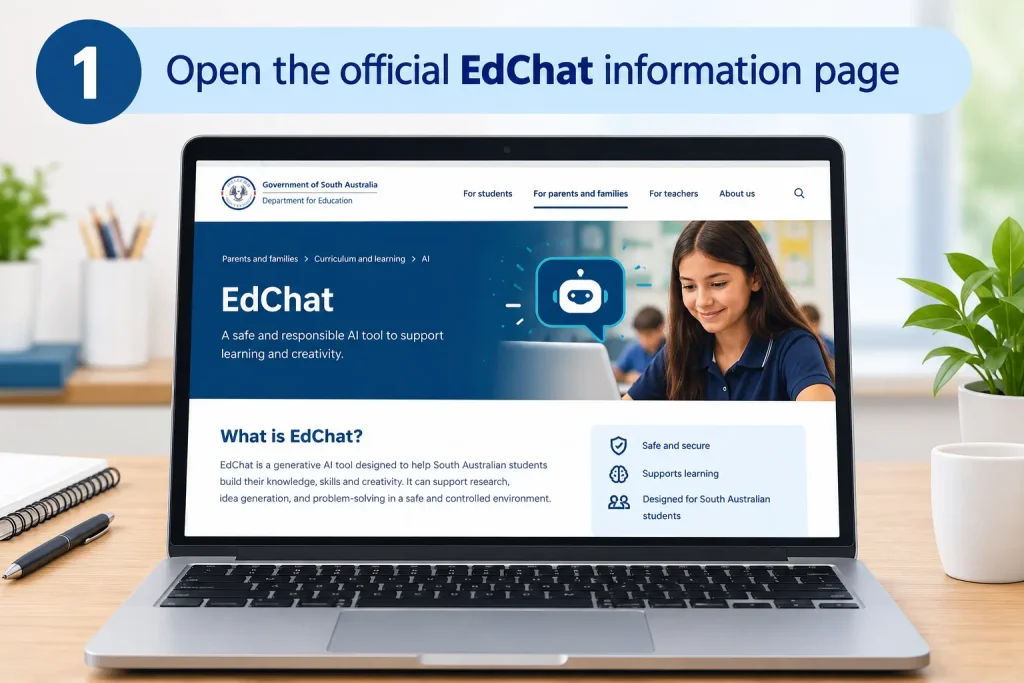
Visit the official EdChat webpage. Read the department’s current information about the platform, its intended users and any available access instructions.
Avoid entering your school password on third-party websites that claim to offer EdChat registration.
Step 2: Confirm your school or staff eligibility

Check whether your school participates in the EdChat programme and whether your student or staff account has been enabled. If you are unsure, contact your classroom teacher, school administration team or ICT support staff.
Do not assume that enrolment at any South Australian school automatically provides access.
Step 3: Use the approved departmental sign-in route
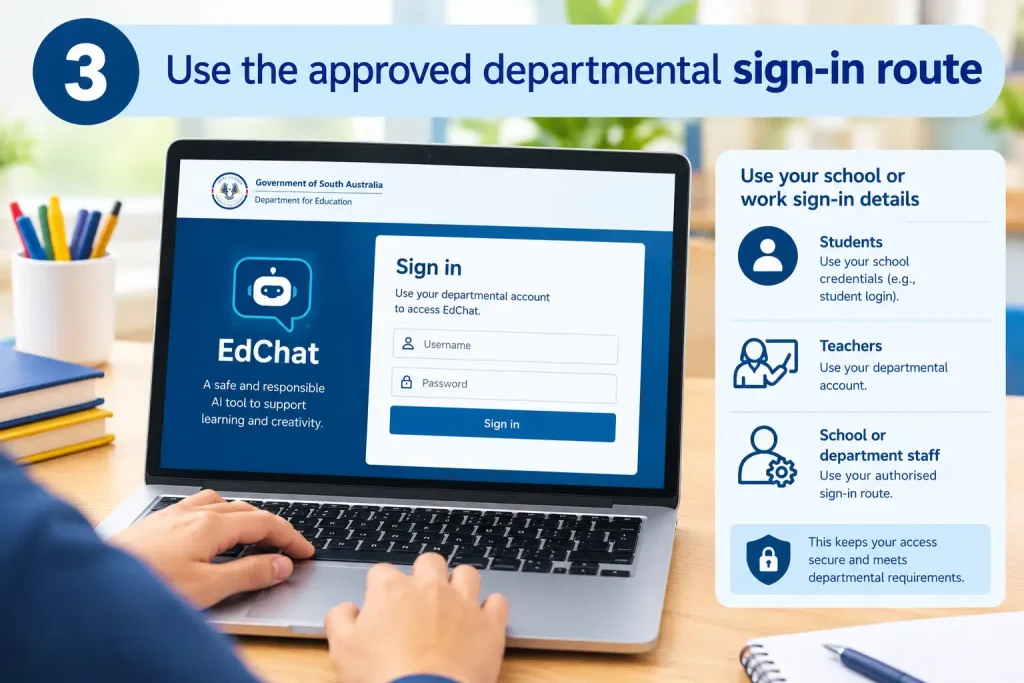
If your school has provided an EdChat link or instructions, follow those directions. Sign in using the credentials specified by your institution and complete any additional identity checks that appear.
The exact sign-in screen and authentication requirements should be confirmed through official school guidance. A particular username format or multi-factor authentication process should not be assumed unless your department has specified it.
Step 4: Start with an educational question
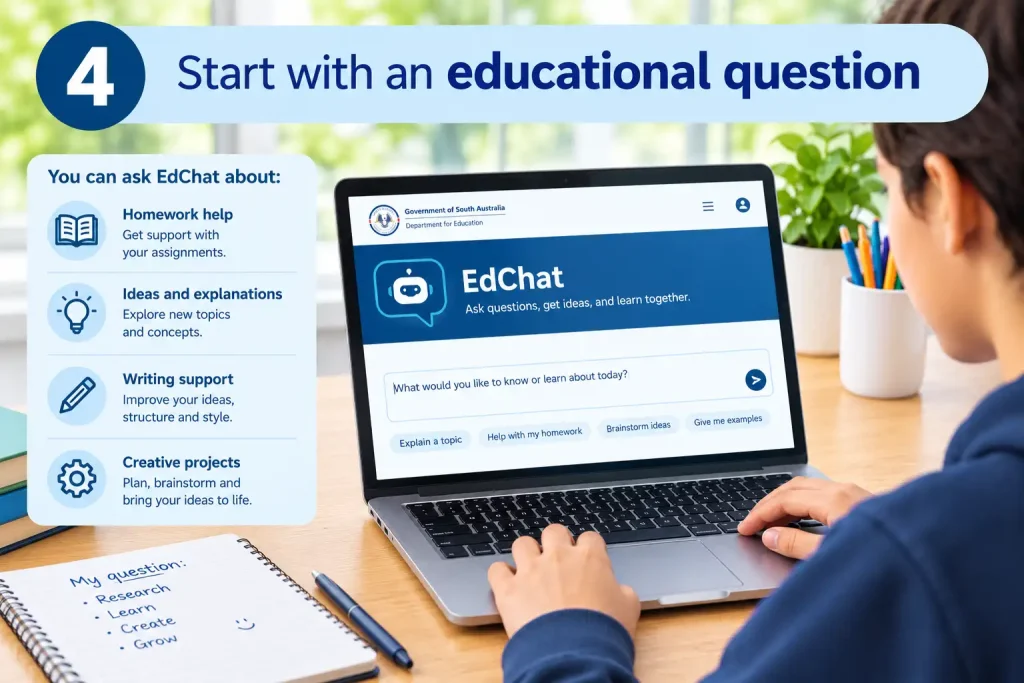
Once access is available, enter a clear question that explains what you want to learn. For instance, you could ask for a science concept to be explained in plain English or request an outline to help organise an essay.
Review the response carefully, check important facts and follow your school’s rules for acknowledging AI assistance.
Tip: If you cannot access EdChat, verify your eligibility first. Repeatedly trying different passwords or creating a personal account is unlikely to resolve an institutional access restriction.
EdChat Features: How AI Can Support Students and Teachers
EdChat is intended to support educational activities through conversational artificial intelligence. Users can enter questions in everyday language and request explanations, suggestions or draft learning materials. The usefulness of each response depends on the quality of the question and how carefully the information is reviewed.
For the latest confirmed details about the platform, refer to the official EdChat page.
1. Learning support for students
Students can use EdChat to explore classroom topics and identify areas they need to understand better. For example, instead of asking for the answer to a homework question, a student could ask the chatbot to explain the underlying concept and provide a similar practice example.
This approach encourages active learning. Students can ask follow-up questions, request simpler explanations and compare the results with their textbooks or teacher’s notes.
2. Writing and brainstorming assistance
Planning an assignment can be challenging when a student does not know where to begin. EdChat can potentially help generate topic ideas, organise an outline or suggest questions to investigate.
A useful prompt might be:
Help me create an outline for an essay about environmental conservation. Include an introduction, three main points and a conclusion. Explain what evidence I should research for each point.
The student should then research the topic, develop their own arguments and write the final assignment according to their teacher’s instructions.
3. Subject explanations and problem-solving
An AI chatbot can provide another way to approach a difficult subject. A student studying biology, for example, might request a plain-English explanation of photosynthesis. Someone studying history could ask for a comparison of two historical events.
For mathematics and science, it is particularly useful to ask for the reasoning behind an answer rather than only the final result. Any calculations or scientific claims should still be checked against trusted learning materials.
4. Lesson preparation for teachers
Teachers may find conversational AI useful when developing initial ideas for classroom activities. Potential applications include preparing lesson outlines, drafting quiz questions, generating discussion topics and producing examples that introduce a new concept.
EdChat can be used as a starting point for these tasks where the relevant features are available. Teachers remain responsible for checking accuracy, curriculum suitability and age-appropriate language before using the material in class.
5. Differentiating learning materials
Students have different levels of prior knowledge and may benefit from different explanations of the same topic. An educator can explore alternative wording, additional examples or graduated questions to help learners approach a subject at an appropriate level.
For example, a teacher could request three explanations of the water cycle: one for beginners, another with more scientific terminology and a third that includes questions for revision.
These are examples of possible educational AI applications, not a guarantee that every feature is specifically built into EdChat.
Image recommendation: An illustration of a teacher preparing differentiated worksheets with AI assistance.
- Filename:
edchat-teacher-learning-resources.webp - Alt text: Teacher preparing learning resources with an educational AI assistant.
- Placement: After the student and teacher use cases.
- Kadence layout: Two-column block with a short feature list and supporting illustration.
EdChat Privacy, Security and Responsible Use
Privacy is an important consideration whenever students and educators use artificial intelligence. Schools should follow the South Australian Department for Education’s current policies and instructions when deciding what information can be entered into an approved educational platform.
The technical arrangements for EdChat, including its data handling, retention rules and safety controls, should be confirmed through official departmental documentation. The supplied information describes the platform as an education-focused service, but it does not independently establish every detail of its technical infrastructure.
Protect personal information
Users should avoid entering unnecessary personal or confidential information into AI conversations. This includes passwords, student identification details, private family information and confidential school records.
Teachers should take particular care when working with student work, wellbeing information or administrative documents. Follow departmental policies before using any personal or sensitive information with an AI system.
Check AI-generated information
AI-generated responses can contain factual mistakes, outdated information or misleading explanations. A confident tone does not mean that an answer is correct.
Before relying on an EdChat response:
- Compare important claims with trusted educational resources.
- Check dates, names, calculations and references.
- Ask follow-up questions when an explanation is unclear.
- Seek guidance from a teacher when the answer conflicts with classroom material.
- Rewrite work in your own words and acknowledge AI assistance when required.
Follow school rules on academic integrity
EdChat should support the learning process rather than replace it. Students should understand whether their teacher permits AI for brainstorming, editing, research or other parts of an assignment.
Submitting AI-generated work as entirely independent work may violate school expectations. When instructions are unclear, ask the teacher before using the tool for assessed tasks.
Understand safety and wellbeing considerations
Educational AI services may use safeguards to reduce exposure to inappropriate material. However, no automated filter should be assumed to catch every unsuitable response or identify every concern correctly.
Students who encounter a troubling response should stop the interaction and tell a trusted teacher or appropriate school staff member. Any claims about EdChat’s wellbeing alerts, staff notifications or monitoring arrangements should be checked against the department’s published policies.
For current guidance, consult the South Australian Department for Education website.
FAQs
Key Things to Remember Before Using EdChat
- Check eligibility first. Access depends on the department’s current arrangements and your school or staff account.
- Use official links. Start with the departmental website instead of unofficial login or registration pages.
- Protect private information. Do not share passwords or unnecessary personal and confidential data.
- Check every answer. Compare AI-generated information with trusted sources.
- Follow school policies. Make sure your use of EdChat complies with assignment rules and departmental guidance.
- Ask for help when needed. Your teacher or school ICT team can clarify access and acceptable use.
Final Thoughts
EdChat offers an educational approach to conversational AI for South Australia’s public education community. It can help students explore ideas and understand unfamiliar concepts, while teachers may use AI-assisted drafting to develop classroom resources and lesson activities.
The best results come from using EdChat thoughtfully. Treat its responses as material to review rather than facts to accept automatically, protect personal information and follow your school’s rules about AI-assisted work.
If you are trying to access EdChat for the first time, begin with the official South Australian Department for Education EdChat page. Confirm your eligibility and follow your school’s instructions before attempting to sign in.
Read More:
Book Week Costumes: Ideas, DIY Options and Easy Choices for 2026
Toy Theatre: History, Ideas, Making Guide & Australian Collection
MyMurdoch Learning Guide 2026: Login, Courses, Features and Student Support
Literacy Pro: Complete User Guide for Australian Students and Teachers (2026)
Geelong Grammar School: Complete Guide for Parents and Students (2026)